


Everything Widgets
4.6360.00 Reviews
App Specs
- Version
- 2.1.014
- Updated On
- License
- $1.09
- Downloads
- 100,000+
- Developer
- JustNewDesigns
- Categories
- Personalization
- Platform
- Android
Screenshots
 Analysis by AppCompare
I like a home screen that helps me get through the day without making me open a string of apps, but I also want it to feel like mine. That balance is what makes Everything Widgets appealing: it’s a personalization app built around a large set of widgets with a distinctive, minimalist look. I’d consider it for a shared household phone or a personal device that needs a clearer daily layout, though the best results come from deciding what each screen should do before filling it up.
One home screen, several people’s routines
On a device that gets passed around at home, a widget can make common information easier to spot at a glance. A calendar view, for example, can help someone check what is coming up without opening a separate app. That can be useful when a family member borrows the phone to check the day’s schedule, or when I am trying to leave the house and want a quick look at what I need to remember.
I would treat that as a display convenience, not as a shared household organizer. A widget is only useful to everyone if the underlying calendar or information is already appropriate for them to see. Before putting personal reminders or appointments on a screen that others can pick up, I’d check what is visible at a glance and keep private details elsewhere. That small choice matters more than adding another decorative tile.
Plan the layout before you customize it
The freedom to adjust a widget’s appearance is most useful when it serves a purpose. I’d start with one or two items I actually check—perhaps a calendar and weather—then choose sizes and colors that make them easy to read. Only after using that arrangement for a few days would I add more. It’s an easy way to avoid a home screen that looks carefully styled but takes longer to scan than the ordinary icons it replaced.
That approach is particularly helpful on a shared device. Different people may care about different information, and trying to satisfy every preference on one screen can make the layout crowded. A simple, legible arrangement is usually more useful than a perfect theme. If everyone has their own phone, I’d personalize each device for its owner instead of trying to make one layout serve every routine.
Useful coordination without assuming family controls
For household coordination, I see the practical value in glanceable information rather than in any special family-management feature. A calendar widget can make a day’s plans easier to notice, while a to-do display can keep a short list in view. I’d use those for low-friction reminders—things like checking the day’s appointments or remembering a household task—rather than relying on a home-screen decoration to manage who is responsible for what.
There is also a useful boundary between visibility and coordination. A widget can help people notice information; it does not, by itself, settle whether that information is current, shared, or understood by everyone. For plans that need agreement, I’d still communicate directly and check the relevant calendar or list. That keeps the convenience of a quick glance without treating a visual shortcut as a substitute for a conversation.
Worth Reading Before You Choose

Flipboard Shows What News Apps Must Do Beyond the Feed

Switching to Android Auto Means Rethinking Your Driving Routine

Google Calendar Makes a Crowded Week Easier to Manage

Ludo King Makes the Most of the Minutes Between Plans

Baby Panda World Brings Quick Play to Modern Phones, but Its Game Library Feels Busy

ESPN’s Live Game View Makes Following Close Games Easier
Age, trust, and device ownership
The app’s content rating is Everyone, and that makes it suitable to consider for a broad range of users. Still, I wouldn’t confuse an age rating with a guarantee that every widget is right for every household. The more important question is whose information appears on the screen and who can access the device. For a child using a family phone, I’d keep the layout straightforward and avoid displaying personal details that do not need to be visible to other people.
Account boundaries deserve the same common-sense attention. If a device is shared, I’d review the accounts and calendars connected to it before relying on a widget to show household plans. The app is for shaping the home screen, not a reason to combine separate personal accounts. People who need strict separation between work, school, and family information may be better served by keeping those accounts and devices clearly distinct.
Getting to Know Everything Widgets
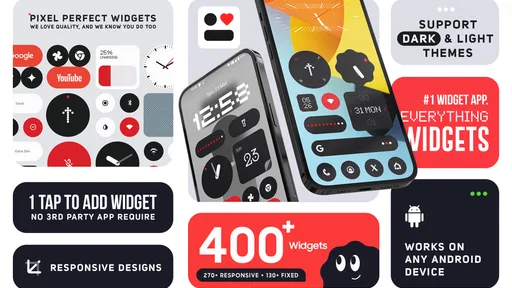
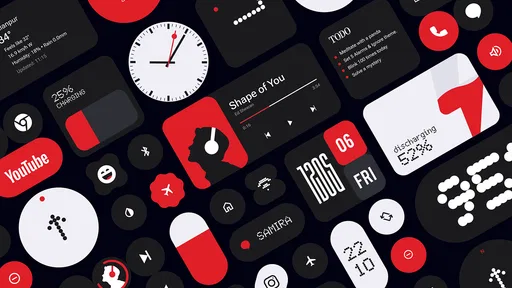
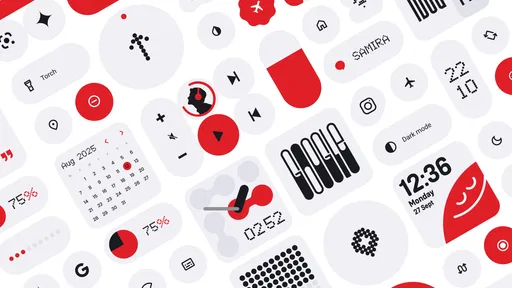
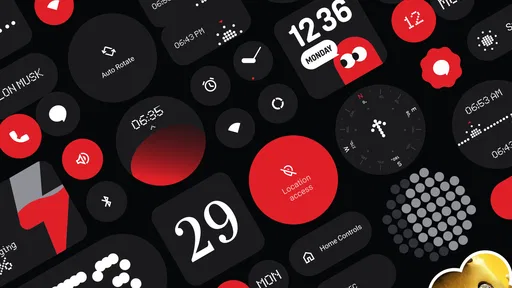
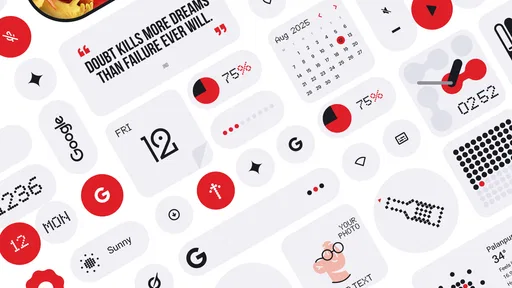
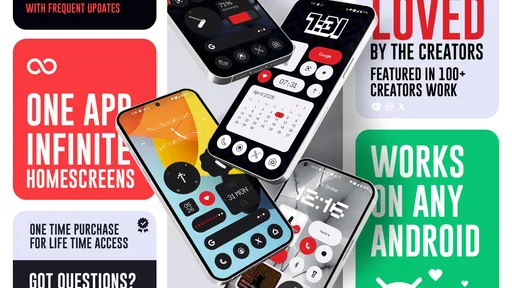
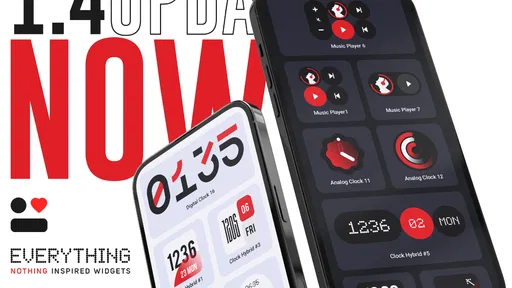
First off, let's talk about what Everything Widgets actually does. Picture this: a playground for widgets. Everything you need is at your fingertips. The app offers a collection of customizable widgets that you can tweak to your heart's content. Whether you're looking to deck out your calendar, jazz up your weather updates, or keep your to-do list handy, this app has you covered.
Customization Galore
One of the things I loved right out of the gate was the level of customization available. You can adjust colors, fonts, sizes, and even the shape of the widgets. Want a circular calendar? Done. Prefer a minimalist weather display? Easy peasy. This app really lets you make your phone feel like an extension of your personality.
The interface is super intuitive. Even if you're not the most tech-savvy person, you'll find that navigating through the options is a breeze. Just tap, swipe, and you’re there. I appreciate apps that don't make me feel like I need a degree in computer science to use them.
Picking widgets that earn their space
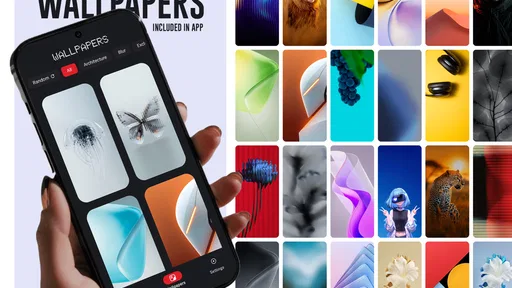
The collection has a clear visual identity, so I’d think about contrast and readability before chasing a perfectly coordinated theme. If the phone is used outdoors or checked in bright light, a widget that is beautiful but hard to read is the wrong pick. I’d try the same layout against the wallpaper I actually use, then make the text and background distinct enough to scan quickly.
There’s a practical trade-off in customization: changing many details can turn a quick setup into a long project. I’d make one change at a time and keep the version that is easiest to read, rather than repeatedly adjusting fonts and shapes because the options are there. For a household device, consistency can help too: similar visual treatment for the calendar and reminders makes it easier for another person to understand what they are looking at.
Functionality Meets Aesthetics
Now, it’s not just about looking good. The widgets you create are incredibly functional. They're not just pretty faces on your screen; they deliver real-time updates, reminders, and more. I found the calendar widget particularly useful, offering a clear view of my day with just a glance. It’s like having a personal assistant right on my home screen.
And let’s not forget the weather widget. It’s pretty nifty knowing if I need to grab an umbrella before stepping out. It updates in real-time, so no nasty surprises when you’re planning your day.
A realistic morning routine
Here’s where I’d use that combination: before leaving home, I can check the calendar for the next commitment and the weather for what to wear, without opening each app in turn. If I’m also keeping a short task list nearby, I’d use it for things I can act on today rather than storing every long-term reminder on the home screen. That keeps the glance useful instead of turning it into another inbox I feel obliged to clear.
I’d also leave enough open space that the screen still feels calm. Widgets compete for attention just like notifications do, so putting every available panel on the first page can defeat the point. A focused first screen for daily checks and a separate page for less urgent information is a sensible arrangement if the phone supports the layout you prefer.
How it compares with simpler options
The usual alternative is to use the widgets already available from the phone’s system and individual apps. That can be enough if all I want is one calendar or weather panel and I’m happy with its default appearance. The appeal here is having a more deliberate visual style and a broad collection to choose from, rather than relying on a handful of unrelated designs that may not look consistent together.
That does not make a dedicated widget collection automatically better. If I prefer the fewest apps possible, or want only the standard information in the simplest setup, built-in options may be easier to maintain. If I enjoy tuning the home screen and want the widgets to feel like part of one design, this app is a more fitting choice. The right decision depends on whether styling is a meaningful part of how you use your phone, not just a weekend project.
Integration and Compatibility
One question I had before downloading was how well it would integrate with other apps. Turns out, Everything Widgets plays nicely with most major apps. Whether it’s syncing with your calendar or pulling in data from your favorite weather service, it’s seamless. This compatibility is a big win in my book because it means I don’t have to switch between apps to get the information I need.
For a shared phone, I’d still check that the calendar or service shown is the one the household actually uses. A polished widget can make the wrong source look authoritative, so it’s worth checking the underlying app when a plan changes. I’d also avoid treating a glance at the screen as confirmation for anything time-sensitive; opening the source is the safer habit when accuracy matters.
Who will get the most from it
I think it suits people who like a carefully arranged home screen, want a consistent look across useful widgets, or enjoy making everyday information easier to spot. It can also be a good fit for someone setting up a household device for simple shared checks, provided the accounts and visible details have been considered first. A little initial thought about purpose and privacy goes a long way.
I’d skip it if customization feels like maintenance rather than fun, if the default widgets on your phone already do everything you need, or if you expect an app to coordinate several people’s accounts and responsibilities for you. It is a personalization tool, not a replacement for a shared calendar routine or clear household communication. That distinction helps set a fair expectation before paying for it.
A Few Quirks
Like any app, there are a few quirks. Occasionally, I noticed a slight lag when updating some widgets, particularly if I had a lot running at once. It’s not a deal-breaker, but something to keep in mind if you’re planning to go all out with customization.
Also, while there are plenty of free options, some of the more dazzling features are locked behind a paywall. It’s a common theme with apps these days, but if you’re looking for the full experience, you might have to shell out a few bucks.
Cost, version, and getting started
Everything Widgets is a paid app at $0.99, so I’d decide whether its design range matters to me before installing rather than assuming the full experience is free. It has a 4.7 average from around 7,800 ratings, with about 292 written reviews, and has passed 50,000 installs. Those figures suggest a well-received niche choice, but they don’t tell me whether its look suits my own phone; trying a restrained layout is still the best test.
JustNewDesigns is the developer, and the app is rated Everyone. It was released on March 31, 2025, and its current version is 2.1.014, with Android 12 as the minimum operating system. I’d check the Android version on the device first, especially for an older shared phone, then start with a single widget and see whether the style and everyday usefulness justify keeping it.
Final Thoughts
All in all, Everything Widgets is a solid choice for anyone looking to spruce up their home screen. It’s user-friendly, offers tons of customization, and integrates well with other apps. Whether you’re a customization junkie or just looking for a way to make your phone look a little cooler, this app is worth checking out.
If you’re ready to dive in and start creating your perfect home screen, head over to your app store and give Everything Widgets a try. Who knew that widgets could be this much fun?
A practical household verdict
For my own household, I’d use it when a phone needs a more readable, personal home screen and the people using it agree on what belongs there. I’d keep the first page focused on the day’s useful information, avoid exposing private appointments, and use the original calendar or task app to resolve anything important. That gives the widgets a clear job without expecting them to manage the household.
If you want that kind of visual polish and are happy to spend time choosing a layout, it is an easy app to recommend. If you only need basic glanceable information, prefer built-in widgets, or want strong separation between multiple users’ accounts, a simpler setup is likely the better fit. The app’s strongest point is helping a phone feel deliberately arranged; its value depends on whether that is something you’ll actually enjoy using every day.
Pros
- Highly customizable interface options.
- Seamless integration with existing apps.
- Regular updates with new features.
- User-friendly and intuitive design.
- Minimal impact on device performance.
Cons
- Limited compatibility with older devices.
- Occasional widget loading delays.
- Lacks advanced tutorial for beginners.
- Some features require in-app purchases.
- May drain battery faster on heavy use.
FAQs for Everything Widgets
What is Everything Widgets and what functionality does it offer?
Everything Widgets is an innovative app that provides users with customizable widgets for their home screens. It offers a wide range of widget options, including weather, calendar, reminders, and more. Users can personalize the design and layout to suit their preferences, enhancing both functionality and aesthetic appeal.
Is Everything Widgets available on both Android and iOS platforms?
Yes, Everything Widgets is available for download on both Android and iOS platforms. You can find it on the Google Play Store for Android devices and the Apple App Store for iOS devices. The app is designed to work seamlessly across different operating systems, ensuring a consistent user experience.
Does Everything Widgets offer any premium features or is it completely free?
Everything Widgets offers both free and premium features. While the basic version provides essential widgets and customization options, the premium version unlocks additional themes, advanced customization options, and ad-free usage. Users can choose to upgrade to premium via in-app purchases if they desire enhanced functionality.
How user-friendly is the customization process for widgets in Everything Widgets?
The customization process in Everything Widgets is highly user-friendly and intuitive. Users can easily drag and drop elements, select from a variety of templates, and modify colors and fonts to match their style. The app's interface is designed to be accessible to users of all ages, with clear instructions and support available.
Are there any privacy concerns associated with using Everything Widgets?
Everything Widgets prioritizes user privacy and data security. The app requires minimal permissions, primarily for functionality related to widgets such as calendar access or location for weather updates. It does not collect personal data without user consent, and all data handling complies with relevant privacy laws and guidelines.


